Your cloud storage,
browsed like a Mac.
Bucket Browser is a fast, native app for Amazon S3, Cloudflare R2 and any S3-compatible storage. Open a bucket and work with it like any folder on your Mac.

 macOS 14 Sonoma or later · Apple silicon and Intel
Or download the disk image, or install with Homebrew:
brew install --cask chiranjeebhub/tap/bucket-browser

Features
Everything you expect from a Mac app.
No web consoles and no command line. Bucket Browser brings the views, shortcuts and drag and drop you already know to your object storage.
All your buckets, one sidebar
Add as many AWS, Cloudflare R2 and S3-compatible accounts as you like. Each one lists its buckets in the sidebar.
Icon, list and column views
Switch with ⌘1, ⌘2 and ⌘3. Sort any column, keep folders on top, and search the current folder.
Quick Look previews
Press Space to preview images, video, PDFs and text without downloading them first.
Drag and drop
Drop files or whole folders onto the window to upload. Drag items out to your desktop to download.
Fast, reliable transfers
Large files upload in parallel multipart chunks, with progress, cancel and Show in Finder in one popover.
Shareable links
Copy a presigned URL that expires in an hour, a day or seven days, or copy the s3:// URI.
Get Info
See size, dates, storage class, content type, ETag and custom metadata for any object.
Keys stay in your Keychain
Access keys are stored in the macOS Keychain, never in plain files and never sent anywhere but your storage.
Syncs with iCloud Keychain
Your accounts and keys come back after a reinstall and show up on your other Macs, end-to-end encrypted.
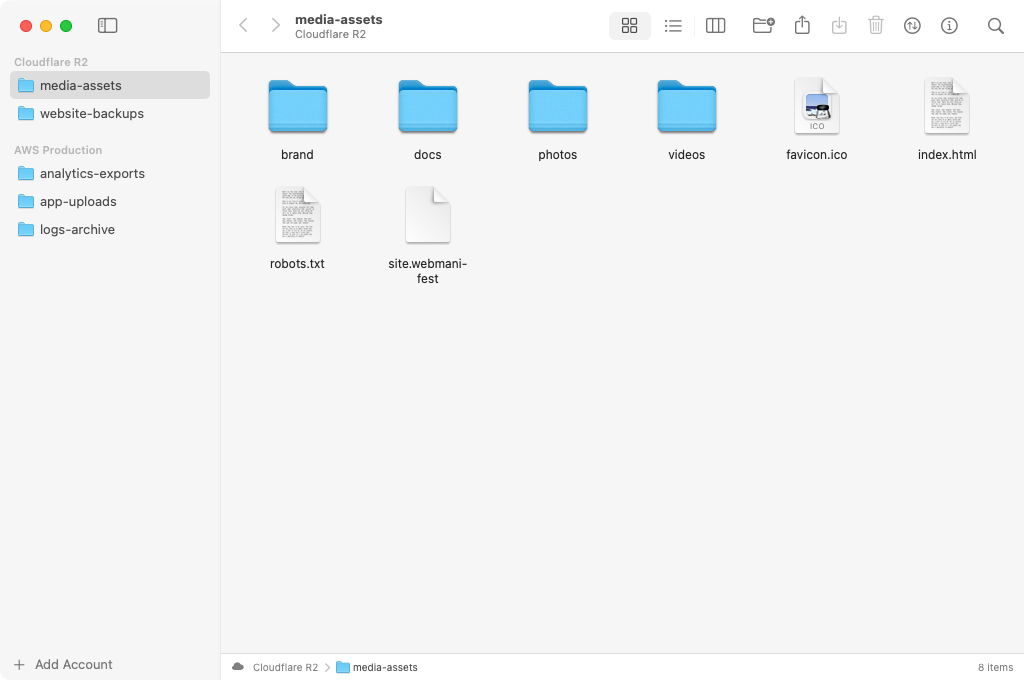
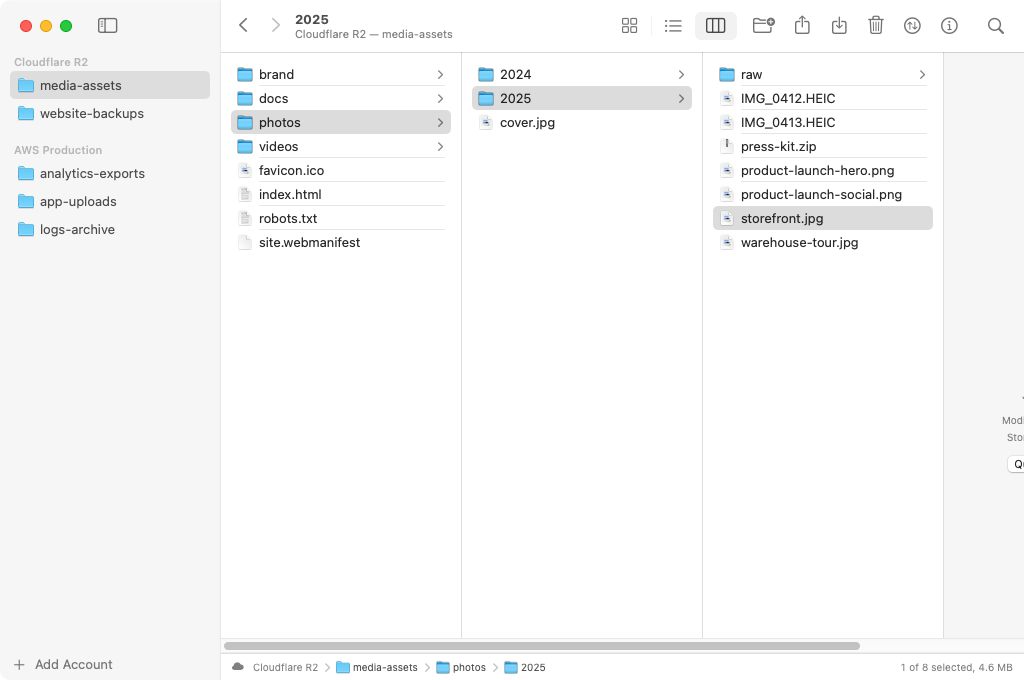
Three ways to look
Pick the view that fits.
Thumbnails for photos, columns for deep folder trees, and a sortable list for everything else.
Works with your storage
Set up in under a minute.
Pick a service, paste your access key, and your buckets appear. For R2 and other providers, add the endpoint URL too.
- Amazon S3 in every region
- Cloudflare R2
- Any S3-compatible service, such as MinIO, Backblaze B2, Wasabi or DigitalOcean Spaces

Private by design
Your data stays yours.
Bucket Browser collects nothing. No analytics, no tracking, no accounts and no servers of ours. The app talks only to the storage endpoints you add, and your keys never leave your Keychain.
Keyboard first
Shortcuts you already know.
Every action has a menu item and a shortcut, so you rarely need to reach for the mouse.
Get Bucket Browser.
Available on the Mac App Store, or as a direct download that keeps itself up to date.
Questions? Visit Support.